

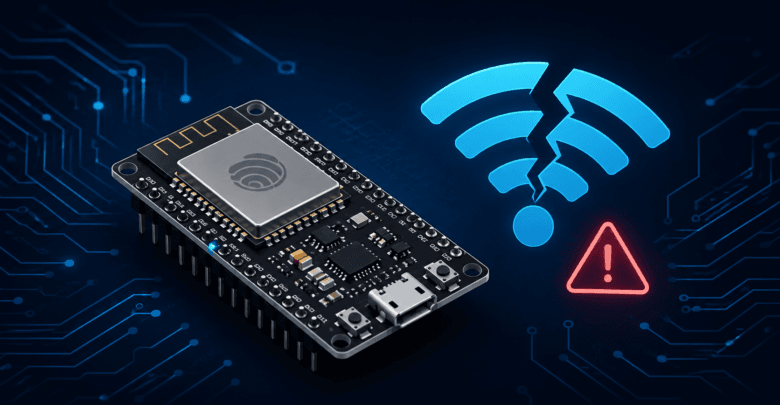
If you’re doing ESP32 Wi-Fi troubleshooting for the first time, you’re not alone. Almost every ESP32 developer runs into this at some point: the board that connected fine yesterday suddenly won’t join Wi-Fi today, or a brand-new project just refuses to connect no matter what you try. The good news is that ESP32 Wi-Fi issues fall into a handful of well-known categories, and most of them have a quick fix once you know where to look.
This guide walks through the most common causes of ESP32 Wi-Fi connection failures, in the order you should actually check them.
Start Here: Read the Error Code
cpp
void setup() {
  Serial.begin(115200);
  WiFi.begin(ssid, password);

  int attempts = 0;
  while (WiFi.status() != WL_CONNECTED && attempts < 20) {
    delay(500);
    Serial.print(".");
    attempts++;
  }

  Serial.println();
  Serial.print("WiFi status code: ");
  Serial.println(WiFi.status());
}
The status codes tell you a lot:
WL_NO_SSID_AVAIL(1) — The ESP32 can’t find the network at all. Usually a range, band, or SSID-typo issue.WL_CONNECT_FAILED(4) — It found the network but the connection attempt failed. Usually a wrong password or an authentication mismatch.WL_CONNECTION_LOST(3) — It connected, then dropped. Usually power or interference related.WL_DISCONNECTED(6) — Generic disconnect state, often seen right at startup before a connection attempt begins.
Cause 1: Wrong SSID or Password
It sounds obvious, but it’s the single most common cause of connection failures. Double-check for:
- Trailing spaces copied accidentally into the SSID or password string
- Case sensitivity — Wi-Fi credentials are case-sensitive
- Special characters in the password that might need escaping in your code
cpp
Serial.print("SSID: ");
Serial.println(ssid);
Serial.print("Password length: ");
Serial.println(strlen(password));
Cause 2: 5GHz Network (ESP32 Doesn’t Support It)
This trips up more people than you’d expect. The ESP32 only supports 2.4GHz Wi-Fi — it cannot connect to 5GHz networks at all. Many modern routers broadcast both bands under the same network name (SSID), which means your phone might connect to 5GHz automatically while the ESP32 silently fails to find a compatible signal.
Fix: Check your router settings and either separate the 2.4GHz and 5GHz networks into distinct SSIDs, or confirm your router’s combined SSID still broadcasts 2.4GHz (most do, but some mesh systems default to steering all devices to 5GHz when possible).
Cause 3: Router Security Settings
- WPA3-only networks can cause issues on some ESP32 firmware versions — WPA2/WPA3 mixed mode is safer.
- MAC address filtering on your router will block the ESP32 unless its MAC address is added to the allow list.
- Captive portals (common on public or hotel Wi-Fi) require a web login the ESP32 can’t complete.
Cause 4: Weak or Fluctuating Power Supply
This is one of the most overlooked causes. The Wi-Fi radio draws current in short, sharp spikes during transmission — often 200-300mA momentarily, even if the board’s average draw looks modest. A weak USB port, a long or thin USB cable, or an underpowered power bank can cause the voltage to sag during these spikes, leading to random disconnects, resets, or connection failures that look like a Wi-Fi problem but are actually a power problem.
How to tell: If your ESP32 also randomly resets, shows “brownout detector was triggered” in the Serial Monitor, or behaves better when plugged into a computer’s USB port versus a phone charger, power is likely your issue.
Cause 5: Signal Strength and Interference
cpp
Serial.print("Signal strength (RSSI): ");
Serial.println(WiFi.RSSI());
RSSI values closer to 0 indicate stronger signal; anything below -80 dBm is generally too weak for a reliable connection. Common interference sources include microwave ovens, Bluetooth devices, other Wi-Fi networks on the same channel, and distance/walls.
Fix: Move the ESP32 closer to the router for testing, switch your router to a less congested Wi-Fi channel (1, 6, or 11 are usually best on 2.4GHz), or add a Wi-Fi extender/mesh node closer to the device’s final location.
Cause 6: Too Many Devices on the Router
Some consumer routers have a hard limit on the number of simultaneously connected devices (often 20-30 for budget routers). If your ESP32 connects fine when other devices are off but fails when everything is running, this is likely your issue.
Cause 7: Firmware or Library Bugs
- Update the ESP32 board package in Arduino IDE (Boards Manager) to the latest stable version.
- Check the official espressif/arduino-esp32 GitHub issues for your exact symptom.
- Try explicitly setting the Wi-Fi mode before connecting:
cpp
WiFi.mode(WIFI_STA); // Station mode, not AP or AP+STA
WiFi.disconnect();   // Clear any previous connection state
delay(100);
WiFi.begin(ssid, password);
A Systematic Checklist
- Confirm the SSID and password are correct (print them, don’t assume)
- Confirm the network is 2.4GHz, not 5GHz-only
- Check the router’s security mode and any MAC filtering
- Swap the power source and USB cable
- Check RSSI and move closer to the router
- Update the ESP32 board package
- Add explicit
WiFi.mode(WIFI_STA)and a clean disconnect before reconnecting
Most connection issues resolve within the first three or four steps — power and 5GHz-only networks are, by a wide margin, the two most common culprits once the basic credentials are confirmed correct.
Conclusion
ESP32 Won’t Connect to Wi-Fi? The Complete Troubleshooting Guide
Almost every ESP32 developer runs into this at some point: the board that connected fine yesterday suddenly won’t join Wi-Fi today, or a brand-new project just refuses to connect no matter what you try. The good news is that ESP32 Wi-Fi issues fall into a handful of well-known categories, and most of them have a quick fix once you know where to look.
This guide walks through the most common causes of ESP32 Wi-Fi connection failures, in the order you should actually check them.
Start Here: Read the Error Code
cpp
void setup() {
  Serial.begin(115200);
  WiFi.begin(ssid, password);

  int attempts = 0;
  while (WiFi.status() != WL_CONNECTED && attempts < 20) {
    delay(500);
    Serial.print(".");
    attempts++;
  }

  Serial.println();
  Serial.print("WiFi status code: ");
  Serial.println(WiFi.status());
}
The status codes tell you a lot:
WL_NO_SSID_AVAIL(1) — The ESP32 can’t find the network at all. Usually a range, band, or SSID-typo issue.WL_CONNECT_FAILED(4) — It found the network but the connection attempt failed. Usually a wrong password or an authentication mismatch.WL_CONNECTION_LOST(3) — It connected, then dropped. Usually power or interference related.WL_DISCONNECTED(6) — Generic disconnect state, often seen right at startup before a connection attempt begins.
Cause 1: Wrong SSID or Password
It sounds obvious, but it’s the single most common cause of connection failures. Double-check for:
- Trailing spaces copied accidentally into the SSID or password string
- Case sensitivity — Wi-Fi credentials are case-sensitive
- Special characters in the password that might need escaping in your code
cpp
Serial.print("SSID: ");
Serial.println(ssid);
Serial.print("Password length: ");
Serial.println(strlen(password));
Cause 2: 5GHz Network (ESP32 Doesn’t Support It)
This trips up more people than you’d expect. The ESP32 only supports 2.4GHz Wi-Fi — it cannot connect to 5GHz networks at all. Many modern routers broadcast both bands under the same network name (SSID), which means your phone might connect to 5GHz automatically while the ESP32 silently fails to find a compatible signal.
Fix: Check your router settings and either separate the 2.4GHz and 5GHz networks into distinct SSIDs, or confirm your router’s combined SSID still broadcasts 2.4GHz (most do, but some mesh systems default to steering all devices to 5GHz when possible).
Cause 3: Router Security Settings
- WPA3-only networks can cause issues on some ESP32 firmware versions — WPA2/WPA3 mixed mode is safer.
- MAC address filtering on your router will block the ESP32 unless its MAC address is added to the allow list.
- Captive portals (common on public or hotel Wi-Fi) require a web login the ESP32 can’t complete.
Cause 4: Weak or Fluctuating Power Supply
This is one of the most overlooked causes. The Wi-Fi radio draws current in short, sharp spikes during transmission — often 200-300mA momentarily, even if the board’s average draw looks modest. A weak USB port, a long or thin USB cable, or an underpowered power bank can cause the voltage to sag during these spikes, leading to random disconnects, resets, or connection failures that look like a Wi-Fi problem but are actually a power problem.
How to tell: If your ESP32 also randomly resets, shows “brownout detector was triggered” in the Serial Monitor, or behaves better when plugged into a computer’s USB port versus a phone charger, power is likely your issue.
Cause 5: Signal Strength and Interference
cpp
Serial.print("Signal strength (RSSI): ");
Serial.println(WiFi.RSSI());
RSSI values closer to 0 indicate stronger signal; anything below -80 dBm is generally too weak for a reliable connection. Common interference sources include microwave ovens, Bluetooth devices, other Wi-Fi networks on the same channel, and distance/walls.
Fix: Move the ESP32 closer to the router for testing, switch your router to a less congested Wi-Fi channel (1, 6, or 11 are usually best on 2.4GHz), or add a Wi-Fi extender/mesh node closer to the device’s final location.
Cause 6: Too Many Devices on the Router
Some consumer routers have a hard limit on the number of simultaneously connected devices (often 20-30 for budget routers). If your ESP32 connects fine when other devices are off but fails when everything is running, this is likely your issue.
Cause 7: Firmware or Library Bugs
- Update the ESP32 board package in Arduino IDE (Boards Manager) to the latest stable version.
- Check the official espressif/arduino-esp32 GitHub issues for your exact symptom.
- Try explicitly setting the Wi-Fi mode before connecting:
cpp
WiFi.mode(WIFI_STA); // Station mode, not AP or AP+STA
WiFi.disconnect();   // Clear any previous connection state
delay(100);
WiFi.begin(ssid, password);
A Systematic Checklist
- Confirm the SSID and password are correct (print them, don’t assume)
- Confirm the network is 2.4GHz, not 5GHz-only
- Check the router’s security mode and any MAC filtering
- Swap the power source and USB cable
- Check RSSI and move closer to the router
- Update the ESP32 board package
- Add explicit
WiFi.mode(WIFI_STA)and a clean disconnect before reconnecting
Most connection issues resolve within the first three or four steps — power and 5GHz-only networks are, by a wide margin, the two most common culprits once the basic credentials are confirmed correct.
Conclusion
ESP32 Wi-Fi issues feel mysterious mostly because the failure looks the same from the outside regardless of the cause — the board just doesn’t connect. Working through causes in order of likelihood, starting with the simplest checks, saves far more time than guessing. Once you’ve got a stable connection, pairing it with Deep Sleep for battery-powered projects introduces a new wrinkle worth knowing: every wake-up reconnects from scratch, so a flaky Wi-Fi setup will cost you battery life on every single cycle, not just once.
Following this ESP32 Wi-Fi troubleshooting process step by step will resolve the vast majority of connection issues.