

If you’ve ever built an ESP32 project that ran fine plugged into USB but died within a day on battery power, you already know the problem: the ESP32 is a power-hungry chip when it’s fully awake. Between the dual-core processor, Wi-Fi radio, and Bluetooth stack, an active ESP32 can pull anywhere from 80mA to over 240mA — enough to drain a typical 2000mAh battery in less than a day of continuous use.
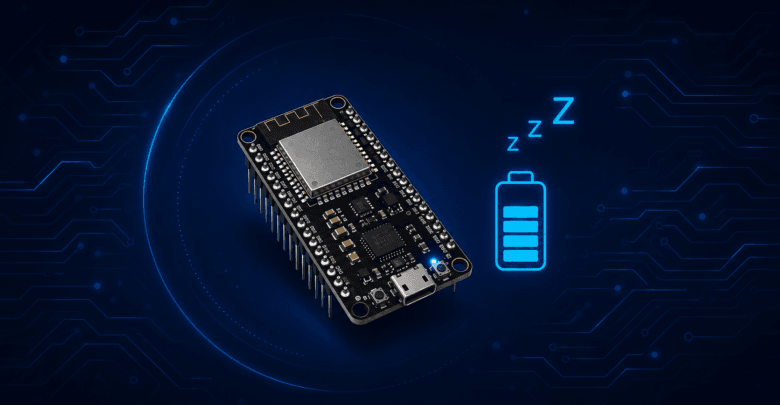
The good news is that the ESP32 was designed with battery-powered applications in mind. Its sleep modes — especially Deep Sleep — can cut power consumption down to microamps, turning a project that lasts a day into one that lasts months on the same battery.
In this guide, we’ll break down how ESP32’s power modes actually work, how to configure Deep Sleep correctly, and the mistakes that quietly wreck battery life even when you think you’ve done everything right.
Why Power Management Matters for Battery-Powered IoT
Most IoT devices don’t need to be “on” all the time. A soil moisture sensor doesn’t need to report every second — once every 10 minutes is plenty. A door sensor only needs to wake up when the door actually opens. In both cases, the device spends the vast majority of its life doing nothing useful, and every microamp it draws during that idle time is wasted battery capacity.
This is the core idea behind power management on the ESP32: instead of keeping the whole chip powered and running a loop that checks conditions repeatedly, you put the chip to sleep and let it wake up only when there’s actual work to do.
ESP32 Power Modes Explained
The ESP32 supports several power modes, each with a different trade-off between power consumption and how much of the chip stays “alive.”
Active Mode
This is normal operation — CPU running, Wi-Fi and/or Bluetooth radios active if you’re using them, all peripherals available. Power draw: roughly 80–260mA depending on what’s active (Wi-Fi transmission spikes are the biggest power draws).
Modem Sleep
The CPU keeps running, but the Wi-Fi and Bluetooth radios are powered down between beacon intervals. This is useful when you need the CPU active but aren’t transmitting data constantly. Power draw: roughly 20–30mA.
Light Sleep
The CPU is paused and most peripherals are powered down, but RAM is retained and the chip can wake up quickly (in microseconds) to resume exactly where it left off. Power draw: roughly 0.8mA.
Deep Sleep
Almost everything is powered down — the CPU, most RAM, and peripherals all lose power. Only the RTC (Real-Time Clock) controller, RTC memory, and ULP (Ultra-Low-Power) coprocessor stay active. When the ESP32 wakes from Deep Sleep, it doesn’t resume where it left off — it essentially reboots and runs setup() again. Power draw: roughly 10µA (0.01mA) — a difference of four orders of magnitude compared to active mode.
This is why Deep Sleep is the mode of choice for most battery-powered ESP32 projects: the power savings are so dramatic that they dwarf the cost of “waking up fresh” each time.
Understanding Deep Sleep Wake-Up Sources
Since Deep Sleep effectively restarts your program, the way you control what happens next is through wake-up sources — the specific events that are allowed to bring the ESP32 back to life.
Timer Wake-Up
The most common wake-up source. You tell the ESP32 to sleep for a specific duration (in microseconds) and it wakes up automatically when the timer expires. Ideal for periodic sensor readings — checking temperature every 5 minutes, for example.
External Wake-Up (EXT0 and EXT1)
Lets the ESP32 wake up based on the state of a GPIO pin.
- EXT0 watches a single RTC-capable GPIO pin for a specific logic level (high or low).
- EXT1 watches multiple RTC GPIO pins at once, waking if any of them (or all of them, depending on configuration) match a trigger condition.
This is what you’d use for something like a door sensor or a button-triggered wake-up.
Touch Pad Wake-Up
The ESP32 has built-in capacitive touch sensing on certain pins, and you can configure it to wake from Deep Sleep when a touch is detected — useful for physical “wake button” interfaces without a mechanical switch.
ULP Coprocessor Wake-Up
The Ultra-Low-Power coprocessor can run simple monitoring tasks (like checking a sensor value against a threshold) while the main CPU is completely asleep, and only wake the main CPU when something meaningful happens. This is the most power-efficient option for continuous sensor monitoring, though it requires writing ULP assembly code, which is more advanced.
Setting Up Deep Sleep on ESP32 (Arduino IDE)
Here’s a basic example that puts the ESP32 to sleep for 60 seconds using a timer wake-up:
cpp
#define uS_TO_S_FACTOR 1000000ULL  // Conversion factor: microseconds to seconds
#define TIME_TO_SLEEP  60          // Sleep duration in seconds

void setup() {
  Serial.begin(115200);
  delay(1000);

  Serial.println("Waking up...");

  // Configure the timer wake-up source
  esp_sleep_enable_timer_wakeup(TIME_TO_SLEEP * uS_TO_S_FACTOR);

  // Do your sensor reading / task here
  Serial.println("Doing work before sleep...");

  Serial.println("Going to sleep now");
  Serial.flush();

  esp_deep_sleep_start();
}

void loop() {
  // This will never run — Deep Sleep restarts execution from setup()
}
For a GPIO-triggered wake-up (EXT0), the setup looks like this:
cpp
#define WAKEUP_GPIO GPIO_NUM_33  // Must be an RTC-capable GPIO pin

void setup() {
  Serial.begin(115200);
  delay(1000);

  // Wake up when the pin goes HIGH (change to 0 for LOW trigger)
  esp_sleep_enable_ext0_wakeup(WAKEUP_GPIO, 1);

  Serial.println("Going to sleep, will wake on GPIO 33 HIGH");
  Serial.flush();

  esp_deep_sleep_start();
}

void loop() {
}
Preserving Data Across Deep Sleep with RTC Memory
Since Deep Sleep wipes regular RAM, any variable you declare normally will reset every time the chip wakes up. If you need to preserve a value (like a counter, or the last sensor reading), declare it with the RTC_DATA_ATTR attribute — this stores it in RTC memory, which survives Deep Sleep:
cpp
RTC_DATA_ATTR int bootCount = 0;

void setup() {
  Serial.begin(115200);
  bootCount++;
  Serial.println("Boot count: " + String(bootCount));

  esp_sleep_enable_timer_wakeup(60 * 1000000ULL);
  esp_deep_sleep_start();
}

void loop() {}
Checking the Wake-Up Reason
If your project has multiple possible wake-up sources, you can check which one triggered the wake-up using esp_sleep_get_wakeup_cause():
cpp
void print_wakeup_reason(){
  esp_sleep_wakeup_cause_t wakeup_reason = esp_sleep_get_wakeup_cause();

  switch(wakeup_reason){
    case ESP_SLEEP_WAKEUP_EXT0 : Serial.println("Wakeup by external signal (RTC_IO)"); break;
    case ESP_SLEEP_WAKEUP_TIMER : Serial.println("Wakeup by timer"); break;
    case ESP_SLEEP_WAKEUP_TOUCHPAD : Serial.println("Wakeup by touchpad"); break;
    default : Serial.println("Wakeup was not caused by deep sleep"); break;
  }
}
Real-World Battery Life: What the Numbers Actually Look Like
To make this concrete, here’s a rough comparison using a typical 2000mAh battery:
| Mode | Approx. current draw | Estimated battery life (2000mAh) |
|---|---|---|
| Active (Wi-Fi on, constant use) | ~150mA | ~13 hours |
| Modem Sleep | ~25mA | ~3.3 days |
| Light Sleep | ~0.8mA | ~104 days |
| Deep Sleep | ~10µA | ~22+ years (theoretical) |
In practice, real-world battery life will always be lower than the theoretical Deep Sleep number, because your device still needs to wake up periodically to do its job — read a sensor, connect to Wi-Fi, send data — and those “awake” bursts, even if brief, consume real power. A device that wakes up every 5 minutes, connects to Wi-Fi, sends a small payload, and goes back to sleep might realistically last 3–6 months on a single 18650 cell, depending on how long the Wi-Fi connection phase takes (this is usually the single biggest power cost in a “sleep most of the time” project).
Common Mistakes That Silently Drain Battery
1. Leaving the Wi-Fi Radio On Unnecessarily
Wi-Fi is by far the biggest power draw on the ESP32. If your project only needs to send data occasionally, make sure you’re explicitly disabling Wi-Fi (WiFi.disconnect(true); WiFi.mode(WIFI_OFF);) before entering sleep — don’t assume Deep Sleep handles this for you if you’re using a lighter sleep mode.
2. Slow Wi-Fi Reconnection on Every Wake-Up
Every time your ESP32 wakes from Deep Sleep, connecting to Wi-Fi from scratch (DHCP negotiation, handshake, etc.) can take several seconds — and during that time, it’s drawing full active-mode current. Using a static IP instead of DHCP, and reducing unnecessary Wi-Fi scanning, can cut this connection time significantly.
3. Forgetting to Power Down External Peripherals
Sensors, displays, and modules connected to the ESP32 don’t automatically lose power just because the ESP32 is asleep — if they’re powered directly from a GPIO or the 3.3V rail, they’ll keep drawing current the whole time. Consider using a MOSFET or transistor to cut power to peripherals during sleep, controlled by a GPIO pin.
4. Using the Wrong Sleep Mode for the Job
Reaching for Deep Sleep by default isn’t always right — if your application needs to resume instantly with state intact (rather than “reboot and reload from RTC memory”), Light Sleep might be a better fit despite its higher power draw, since it avoids the overhead of re-initializing everything on wake.
5. Not Measuring Actual Current Draw
It’s easy to assume your code is power-efficient based on the datasheet numbers, but the only way to know for sure is to measure it. A simple USB power meter or, for more precision, a dedicated tool like the Nordic Power Profiler Kit, will show you exactly where your power budget is going — including any peripherals you forgot were still drawing current.
Real-World ESP32 Deep Sleep Project Ideas
- Battery-powered soil moisture sensor — wakes every 30–60 minutes, takes a reading, sends it over Wi-Fi, goes back to sleep.
- Door/window sensor — sits in Deep Sleep indefinitely, wakes only via EXT0 when a reed switch changes state.
- Solar-powered weather station — combines Deep Sleep with a solar charging circuit to run indefinitely off-grid.
- Battery-powered BLE beacon — pairs well with the BLE concepts from our ESP32 BLE guide, advertising periodically instead of maintaining a constant connection.
Frequently Asked Questions
Does Deep Sleep erase my Wi-Fi credentials or stored variables? Regular variables and Wi-Fi connection state are lost, but data stored in RTC memory (using RTC_DATA_ATTR) survives. Wi-Fi credentials saved in flash (e.g., via WiFi.begin() with saved credentials, or in NVS/Preferences) also survive, since flash memory isn’t affected by Deep Sleep.
Can I use Deep Sleep and still maintain a Wi-Fi or BLE connection? No — Deep Sleep powers down the radios entirely, so any active connection is dropped. If you need to maintain a live connection while saving power, Light Sleep or Modem Sleep are more appropriate, though they offer far less power savings than Deep Sleep.
How accurate is the ESP32’s internal timer for long sleep durations? The internal RTC timer used for Deep Sleep wake-up is reasonably accurate for most applications but can drift over long periods (hours to days). For applications where precise timing matters, consider periodically syncing with an external time source (like NTP) when the device wakes and connects to Wi-Fi.
What’s the minimum current draw I can realistically achieve? With careful design — Deep Sleep, external peripherals fully powered down, and no unnecessary current leakage on the board itself — some ESP32 boards can achieve close to the datasheet’s ~10µA figure. However, many off-the-shelf ESP32 dev boards include onboard components (like USB-to-serial chips or power LEDs) that draw additional current even in Deep Sleep, so a bare ESP32 module will usually perform better than a full dev board for ultra-low-power applications.
Conclusion
Deep Sleep is one of the most powerful tools available for battery-powered ESP32 projects — the difference between a device that needs daily charging and one that runs for months on a single battery often comes down entirely to how well you use it. Start with the basics (timer wake-up, RTC memory for persisting data), measure your actual current draw rather than assuming, and pay close attention to what happens to your peripherals during sleep — that’s usually where the hidden power drain is hiding.
If you’re building something battery-powered next, pair this with our guide on ESP32 Bluetooth Low Energy — BLE’s low power profile makes it a natural companion to Deep Sleep for projects that need occasional wireless communication without the power cost of Wi-Fi.
For more hardware tutorials and modern embedded technology trends, explore our complete IoT Magazine collection.