

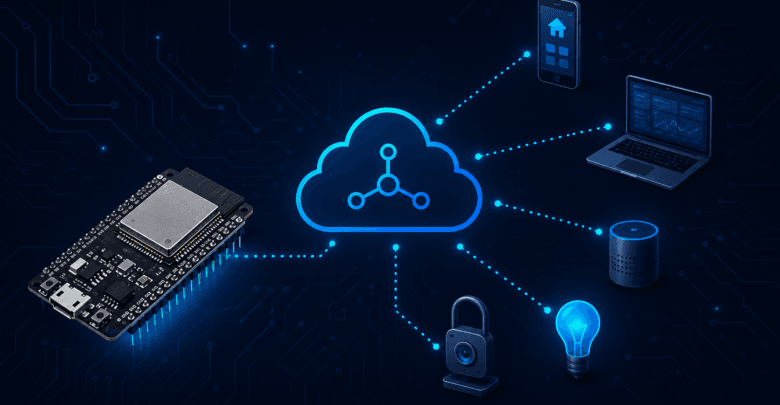
If you’ve explored IoT architecture at all, you’ve run into MQTT. It’s the messaging protocol behind everything from smart home platforms to industrial sensor networks, and for good reason: it’s lightweight, reliable, and built specifically for devices with limited bandwidth and power — exactly the kind of device an ESP32 is.
This guide walks through what MQTT actually is, how it works, and how to get an ESP32 publishing and subscribing to real MQTT topics.
What Is MQTT and Why IoT Uses It
MQTT (Message Queuing Telemetry Transport) is a lightweight messaging protocol designed for constrained devices and unreliable networks. Unlike HTTP, where a device typically has to open a new connection for every request, MQTT keeps a single persistent connection open and sends small messages over it as needed — far more efficient for a device that needs to send frequent updates.
MQTT also decouples devices from each other. Instead of your ESP32 needing to know the IP address of every device it talks to, it just publishes messages to named “topics” and lets anything interested subscribe to those topics. This makes MQTT systems easy to scale — you can add new devices or subscribers without reconfiguring everything else.
Brokers, Topics, and the Publish/Subscribe Model
MQTT communication happens through three core concepts.
The Broker
The broker is a central server that all devices connect to. It receives messages from publishers and routes them to any subscribers interested in that topic. Popular broker software includes Mosquitto (open-source, self-hosted) and cloud services like HiveMQ Cloud or AWS IoT Core. For testing, public test brokers like broker.hivemq.com or test.mosquitto.org let you experiment without setting up your own server.
Topics
A topic is a named channel that messages get published to, structured like a file path: home/livingroom/temperature, for example. Devices publish messages to specific topics, and other devices subscribe to the topics they care about. Topics support wildcards too — subscribing to home/+/temperature catches temperature readings from any room.
Publish/Subscribe
Instead of devices talking directly to each other, they talk through the broker. A sensor publishes a reading to a topic. A dashboard or another device subscribes to that topic and receives the message automatically whenever a new one arrives. Neither side needs to know about the other directly — they only need to agree on the topic name.
Connecting ESP32 to an MQTT Broker
The most common library for MQTT on ESP32 (via Arduino IDE) is PubSubClient. Install it through the Arduino Library Manager, then set up your connection like this:
cpp
#include <WiFi.h>
#include <PubSubClient.h>

const char* ssid = "YOUR_WIFI_SSID";
const char* password = "YOUR_WIFI_PASSWORD";
const char* mqtt_server = "broker.hivemq.com";

WiFiClient espClient;
PubSubClient client(espClient);

void setup_wifi() {
  delay(10);
  WiFi.begin(ssid, password);
  while (WiFi.status() != WL_CONNECTED) {
    delay(500);
    Serial.print(".");
  }
  Serial.println("WiFi connected");
}

void reconnect() {
  while (!client.connected()) {
    Serial.print("Attempting MQTT connection...");
    String clientId = "ESP32Client-" + String(random(0xffff), HEX);
    if (client.connect(clientId.c_str())) {
      Serial.println("connected");
    } else {
      Serial.print("failed, rc=");
      Serial.print(client.state());
      delay(5000);
    }
  }
}

void setup() {
  Serial.begin(115200);
  setup_wifi();
  client.setServer(mqtt_server, 1883);
}

void loop() {
  if (!client.connected()) {
    reconnect();
  }
  client.loop();
}
This handles the connection lifecycle — connecting to Wi-Fi, then connecting to the broker, and reconnecting automatically if the connection drops.
Publishing Sensor Data
Once connected, publishing data is straightforward. Here’s an example that publishes a simulated temperature reading every 5 seconds:
cpp
unsigned long lastMsg = 0;

void loop() {
  if (!client.connected()) {
    reconnect();
  }
  client.loop();

  unsigned long now = millis();
  if (now - lastMsg > 5000) {
    lastMsg = now;
    float temperature = 22.5; // replace with a real sensor reading
    String payload = String(temperature);
    client.publish("home/livingroom/temperature", payload.c_str());
    Serial.println("Published: " + payload);
  }
}
Any device subscribed to home/livingroom/temperature — a dashboard, a home automation hub, or another ESP32 — receives this value the moment it’s published.
Subscribing to Commands
MQTT works both ways. Your ESP32 can also subscribe to a topic to receive commands — turning on an LED, for example. This requires setting up a callback function that runs whenever a message arrives on a subscribed topic:
cpp
void callback(char* topic, byte* message, unsigned int length) {
  String messageTemp;
  for (int i = 0; i < length; i++) {
    messageTemp += (char)message[i];
  }

  Serial.println("Message on topic: " + String(topic));
  Serial.println("Message: " + messageTemp);

  if (String(topic) == "home/livingroom/led") {
    if (messageTemp == "on") {
      digitalWrite(LED_BUILTIN, HIGH);
    } else if (messageTemp == "off") {
      digitalWrite(LED_BUILTIN, LOW);
    }
  }
}

void reconnect() {
  while (!client.connected()) {
    String clientId = "ESP32Client-" + String(random(0xffff), HEX);
    if (client.connect(clientId.c_str())) {
      client.subscribe("home/livingroom/led"); // subscribe once connected
    } else {
      delay(5000);
    }
  }
}

void setup() {
  Serial.begin(115200);
  pinMode(LED_BUILTIN, OUTPUT);
  setup_wifi();
  client.setServer(mqtt_server, 1883);
  client.setCallback(callback); // register the callback function
}
Publish “on” or “off” to home/livingroom/led from any MQTT client — including a phone app like MQTT Explorer or IoT MQTT Panel — and the ESP32 responds immediately.
Common Connection Issues
Connection Refused or Timing Out
Double-check the broker address and port (1883 is standard for unencrypted MQTT, 8883 for TLS). If you’re using a public test broker, remember it’s shared infrastructure — it can occasionally be slow or temporarily unavailable.
Messages Not Arriving
Confirm that your topic names match exactly between publisher and subscriber — MQTT topics are case-sensitive, and a small typo (Home/temperature vs home/temperature) means the message goes nowhere. Also confirm you called client.subscribe() after a successful connection, not before — most implementations need to resubscribe every time the connection is reestablished.
QoS Misunderstandings
MQTT supports three Quality of Service levels: QoS 0 (fire and forget, no guarantee of delivery), QoS 1 (guaranteed delivery, but possible duplicates), and QoS 2 (guaranteed delivery, exactly once). Many beginners assume QoS 1 or 2 by default, but most libraries — including PubSubClient — default to QoS 0. If reliability matters for your application, check your library’s documentation on how to set a higher QoS level explicitly.
Broker Authentication
Production brokers usually require a username and password rather than allowing anonymous connections like the public test brokers do. If you’re moving from testing to a real deployment, update your client.connect() call to include credentials, and make sure your broker is configured to require them.
Conclusion
MQTT gives your ESP32 a lightweight, reliable way to publish sensor data and receive commands — and once you understand the broker/topic/publish-subscribe model, extending it to more sensors, more topics, or a full home automation setup is mostly a matter of repetition rather than new concepts.
If your MQTT-connected project also needs to run on battery, pair this setup with our ESP32 Deep Sleep guide — just remember that maintaining a persistent MQTT connection isn’t compatible with Deep Sleep, so you’ll want a wake-publish-sleep pattern instead of a constantly-connected one.
For more hardware tutorials and modern embedded technology trends, explore our complete IoT Magazine collection.